PrintingPress Pro Extreme 11
Single Computer License for Windows 10 or higher
Invitation design and print software for modern stationery professionals. Read below for an overview or click here for a complete list of features.
Choose a Pro or VIP Access Plan for technical support, reinstalls, software updates, and future software upgrades and SAVE $300.
 Already a customer? Upgrade from earlier versions.
Shop for extras.
$1,499.00 $1,199.00 SAVE $300!
By clicking
Add to cart, I agree that I have read and accepted the
terms & conditions for
recurring charges and that Mountaincow can keep me informed by sending personalized emails about products and services. See our
Privacy Policy for details or to opt-out at any time.
Modern Invitation design Software
Be creative with easy-to-use tools for designing modern invitations you can print yourself or upload to have us print for you. Start with a sample design from our gallery, or create your own using OpenType pro fonts, creative type styles, on-trend graphics, client photos, custom monograms, seamless patterns, and creative borders and backgrounds. Built-in addressing with alternate fonts lets you manage lists and print calligrapher-quality fully styled envelopes, labels and place cards.
New businesses, ask if you qualify for our new business assistance program!
CONTACT US >

I love your software, and am very excited at what it has done for my business. Your software has given me the tools I need to start my own business in a matter of months. Thank you.

Christina
New Jersey
Customer +
Project Management
PrintingPress Pro Extreme lets you organize all of your projects into customer folders. You can create sub folders for organizing customers and customer projects. The Find Customer feature helps you locate customer folders.
The software tracks project status, cost and billing with reporting by customer, employee or month. Pro Extreme automatically records time spent on job and number of prints. Create multiple employee logins with different levels of access privileges to manage your staff.
Open multiple projects at once and use tabbed browsing to switch between open projects. Backup multiple projects at once and schedule automatic backups.
LEARN MORE >
![Customer + Project Management]()
Stationery Layout
Design cards, envelopes, labels, programs and other stationery such as place cards with meal choices. Print two-sided envelopes in one pass through your printer.
The software provides total control over creating and configuring cards, envelopes & other types of stationery for easy editing and printing. You can easily specify the type of stationery, the exact dimensions of the stationery, fold location, margins, ribbon hole placement (if desired) and the number of cards per page (for printing 2 or 4 cards on a sheet and trimming afterwards). Configure wording, layout and other options for envelopes, address labels, postcards, overlay pages, programs and table place cards.
Our international customers are dancing in the streets because our software supports centimeters and European A sizes in the rulers and all measurements other than those that use points.
LEARN MORE >
![Stationery Layout]()
It's Fontastic!
Pro Extreme includes full support for OpenType Pro fonts including alternate glyphs, swash, ligatures and ornaments. Unique controls allow you to automatically apply OpenType stylistic alternates exclusively to capital letters, numbers or the last letter of each word to any text including envelope addresses. The Preview Fonts window lets you quickly and easily preview the selected text displayed side by side in all the fonts in a font group. The font filter allows you to control what fonts are shown in your font combo box. Choose from one of the built-in font filters or create your own custom font groups.
LEARN MORE >
Text Tools
The software works with all the fonts that you have installed on your computer. Fill text with any color or pattern. Add outline, shadow, emboss, and other advanced styles. Set the text case for any text including addresses on envelopes and address labels. Add columns to the main text area or floating text boxes. Connect columns with separators such as dots, line, dash. Check spelling for all text on a card at once, including floating text boxes.
Add multi-styled floating text boxes that can rotate text or automatically typeset fully justified text. Bend text in floating text boxes into shapes such as arc, bend, circle and more.
Use the unique monogram tool to quickly create a custom monogram using any font with style options for diagonal monograms, diamond & circle monograms & borders.
LEARN MORE >
![Stationery Layout]()
Advanced Addressing
Import a customer’s address list from a file and print the names and addresses onto the envelopes without having to layout each address individually. Advanced addressing options let you customize the printed address by specifying alternate fonts for different elements of the address, place multiple address elements on their own line, replace commas with special characters or images, pin images to the left, right, top or bottom of the address and much more. The software will also verify the postal codes for addresses in the US, Canada and Australia. Verify a single address, selected addresses, or all addresses in the Address Book or Mailing List.
LEARN MORE >
Place Cards + Seating Charts
The software lets you import guest lists with table numbers and meal choices directly from Excel or Word for easy place card printing. Display and print by table or by name. Quickly assign multiple guests and table numbers, store multiple mailing label names. Display each guest's meal choice on the place card using text, an image, or both. Set the placement, size and color for the meal choice text. Use one of the built-in meal choice options including stylish images in a wide color palette, or customize using your own text and images.
Create a new seating chart and it will automatically populate with names and table numbers from the guest list. Adjust the font and text style for the headings and guest names. Adjust the number of columns, and the software automatically lays out the names and tables in columns and sorts the guests into columns sorted by name or table for gorgeous seating charts. Use column connectors to add dots, lines, dashes, or squares between the name and table number to make it easy for guests to read.
LEARN MORE >
Printing In-House
Getting your designs printed onto your stationery has never been easier. We support borderless ink jet printers for beautiful full-bleed printing onto supported sizes like A7. Use overprint margins and built-in AccuCut templates for trimming full-bleed prints from full sheets when using a laser printer.
Print two-sided envelopes in one pass through your printer. Open the flap and place the bottom of the envelope into the printer's manual feed tray. The software automatically prints the address and the flipped return address in a single pass saving time and mangled envelopes.
Tired of always having to click Properties in the Print window to set the paper size or select the manual feed tray when printing stationery? The Print Window includes options to auto-set the paper size and manual tray.
LEARN MORE >
Design for Specialty Printing
The software makes it easy for you to create designs using digital and foil, letterpress or themography. Create your designs in the software and it will automatically separate the foil and digital layers for third party printing.
LEARN MORE >
Access Plans
Never worry about support expiring or paying for an upgrade. We offer two tiers of access plans to help you stay up to date. The PRO access plan includes email tech support, software reinstalls, downloadable updates, new design sample projects and artwork, and all future upgrades as long as you stay subscribed.
The VIP access plan includes PRO plan plus 20% off blank stationery, phone support, and remote logins as needed.
Monthly or annual payment options are available for both PRO and VIP access plans. The annual plan includes 2 months free.
LEARN MORE >
![PRO and VIP Access Plans]()
Invitation Architect
With our Invitation Architect 3.0 software, eco-conscious retailers can offer "green" proofing services. Virtual, tree-free proofs using any color scheme save money (and trees!), reduce the carbon footprint, and avoid the need to order, ship and assemble traditional paper proofs.
LEARN MORE >
Professional Illustrations
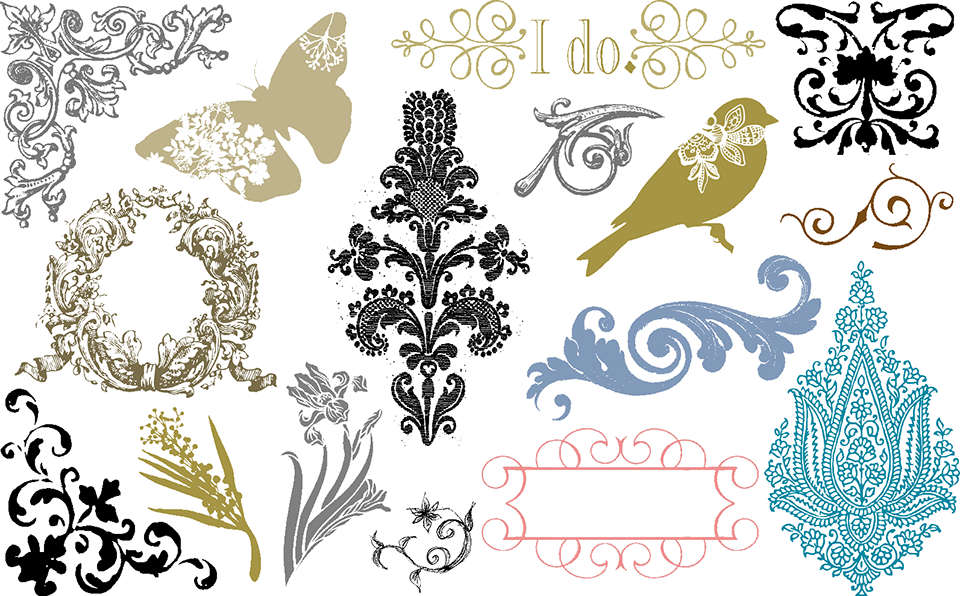
Professional Illustrations is an extensive collection that includes sophisticated Wedding, Holiday, Everyday, Baby and Word Collage artwork. This unique collection of high-resolution artwork is fully compatible with PrintingPress Pro Extreme and licensed for use with all your custom imprinting. The complete collection includes over 80,000 coordinating 300 and 600 dpi images, borders, backgrounds and patterns in PNG and JPEG format that were designed specifically for invitations by professional graphic artists. Since the complete collection would take up more than 60 CDs, Professional Illustrations ships on a USB Flash Drive. Complete collections are licensed for professional use.
LEARN MORE >
Cartographics
Map Art
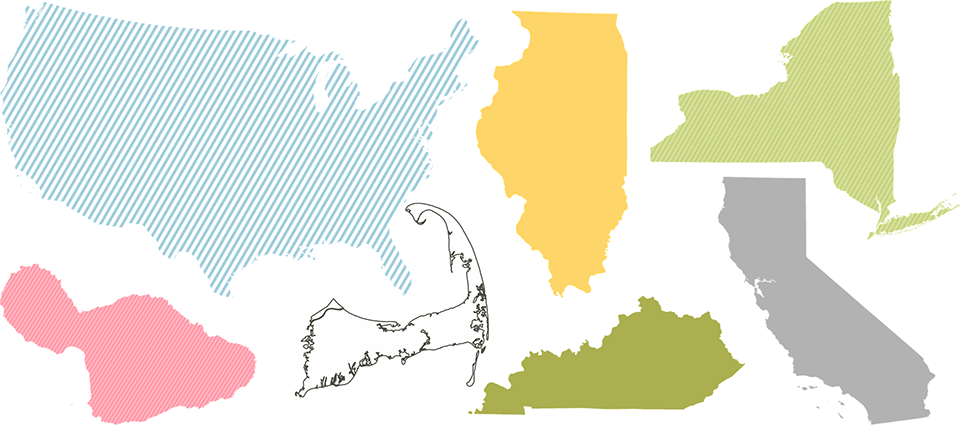
Cartographics Map Art is an exciting collection of sophisticated and accurate map images for creating save the date cards, destination wedding invitations and more. This unique collection of high-resolution artwork designed for use with PrintingPress software adds over 17,000 300dpi PNG images in a palette of 31 colors to the Insert Image window. Include silhouettes, outlines and two striped versions for the United States, Canada, the British Isles, Australia, New Zealand, the Caribbean and Accessories. Designed specifically for invitations by professional graphic artists.
LEARN MORE >
PrintingPRess Pro Extreme Facebook Live Video
This product uses technological measures for copy protection. You will not be able to use the product if you do not fully comply with the activation procedures. Activation requires an Internet connection and email. You must accept the License Agreement displayed during the installation procedure before you can use this product. If you do not accept the terms of the License Agreement, you should return the product for a refund. Developed and published by Mountaincow LLC. Copyright © 2026 Mountaincow LLC. All rights reserved. For non-governmental use only. | Microsoft and Windows are registered trademarks of Microsoft Corporation in the U.S. and in other countries. | ENVELOPMENTS® and the Envelopments Logo are registered trademarks of Envelopments, Inc., and Envelopments Recipes and photos are copyright © 2026 Envelopments, Inc. | QuicKutz® shapes copyright © 2026 QuicKutz, Inc. | "Crane" designs are registered trademarks of Crane & Co., Inc. © 2026 Crane & Co., Inc. All rights reserved. | AccuCut® and the AccuCut Logo are registered trademarks of TEK Industries, Inc., and AccuCut Pinnovation™ Stationery Dies, shapes and graphics are copyright © 2026 AccuCut. All rights reserved.